GraphicsTutorial: Gem Garden
9. Text and HUD
A heads-up display shows the game’s state over the world: here, the gems collected out of the total. This step draws it with the engine’s pixel font, and finishes part 3.
The HUD
The play scene’s Draw (step 6) ends with DrawHud(r), after PopCamera, so the HUD is in screen pixels and stays
put while the camera moves:
private void DrawHud(IRenderer r){ r.FillRect(new RectF(0, 0, Game.Width, 13), Color.Hex("1a1c2c").WithAlpha(0.75f)); r.Draw(_game.Sprites["gem"], new Vector2(9, 6)); Font.DrawShadowed(r, $"{Gems}/{TotalGems}", new Vector2(17, 3), Color.White, Color.Black);}- A translucent bar (
FillRectwithWithAlpha(0.75f)) keeps the text readable over any part of the garden. - The gem sprite doubles as an icon: sprites can be drawn in screen space too.
Font.DrawShadoweddraws the text twice, a shadow one pixel down and right, then the text.
The built-in font
Every game has Font (in a scene) or Game.Font: a proportional pixel font, 5 pixels wide and 7 high for most
characters, made for a 320x180 screen. It covers printable ASCII (letters in both cases, digits, punctuation) and a few
symbols games use: ♥ ▶ ▼ ★ ♪ → ← ↑ ↓ × © ·. Any other character (accented letters, ñ, other alphabets) is drawn as
?.
| Call | Draws |
|---|---|
Font.Draw(r, text, position, color, scale) |
text from its top-left corner |
Font.DrawShadowed(r, text, position, color, shadow) |
with a shadow |
Font.DrawOutlined(r, text, position, color, outline) |
with an outline, readable on anything |
Font.DrawCentered(r, text, center, color, scale, shadow) |
centred on a point (titles, menus) |
Font.MeasureWidth(text), Font.Measure(text, scale) |
the size of a text, to align or box it |
Font.Wrap(text, maxWidth) |
lines that fit a width, split at spaces |
scale enlarges by whole pixels (the title uses 3). MicroEngine has one font: there is no loading of TTF or bitmap
font files, and no rich text or right-to-left layout. A game that needs another typeface draws its glyphs as sprites.
Text covers wrapping, measuring and these limits; the text example
shows every call.
Run part 3
Part 3 is complete: your project matches part3-garden. Run it:
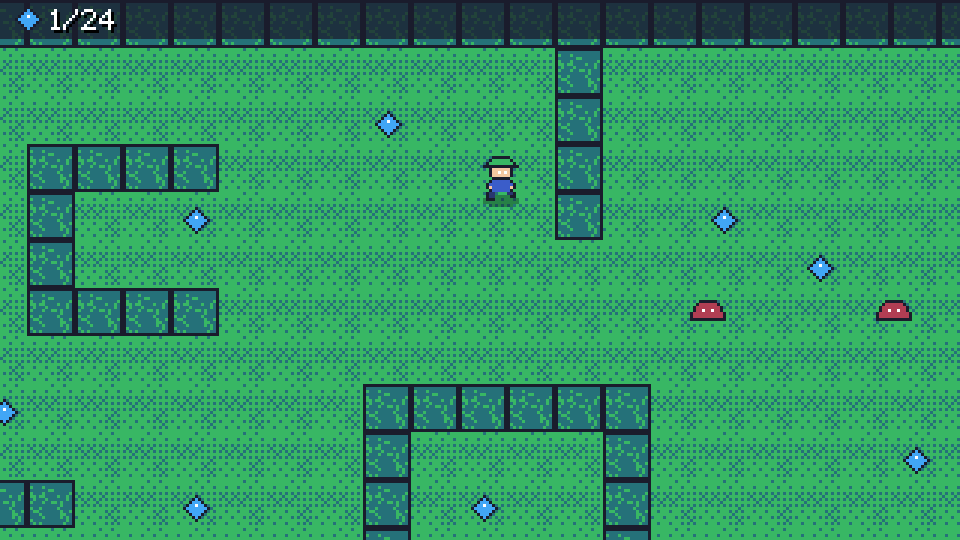
The gardener walks the garden, the camera follows, hedges block him, gems sparkle away with a chime, slimes push him back, the music plays on the title. What is missing is a game: a goal, an end, a reason to play again.
Next
Part 4 adds a round timer, a title menu, a pause menu, a results screen and a saved best score.