
SDK Alpha 0.2.0-alpha · what Alpha means
A game engine that orchestrates, not reinvents.
MicroEngine is a 2D game engine for C# that orchestrates subsystems and integrates existing technologies into one coherent way of making games. You write scenes, rules and pixel art in plain code; SDL 3, raylib, .NET and WebAssembly do what they already do well.
Open source, MIT · Source on GitHub · Six platforms, and how each was checked
var palette = Art.Palette("o=#000000", "y=#ffec27", "w=#fff1e8");
var star = PixelImage.FromMap(palette,
    "....o....",
    "...oyo...",
    "ooooyoooo",
    "oyyywyyyo",
    ".oyyyyyo.",
    "..oyyyo..",
    ".oyyoyyo.",
    "oyyo.oyyo",
"ooo...ooo");Game → core → IPlatform → the libraries you already trust
The same game assembly runs on every platform because nothing above the contract knows what is below it. Each layer links to its manual page.
Your game
Rules, scenes and content, in plain C#. Never names a platform.
Engine core
Runs the game the same way everywhere.
- Game
- GameRunnerdesktop, tests
- GameSessionbrowser, phones
- Scenes
- Input actions
- Pixel graphics
- Synth + mixer
- Saves
IPlatform
One contract: renderer, graphics device, audio, input, clock, lifecycle.
- sdlWindows · Linux · macOS · Android · iOS
- raylibbrowsers · desktop
- sdl-softwareno GPU
- headlesstests
- yoursregister a profile
Integrated technology
Mature libraries MicroEngine selects and coordinates instead of rewriting.
- SDL 3
- raylib 6
- .NET 10
- WebAssembly
- NVorbis
- Direct3D · Metal · Vulkan · OpenGL
- MicroEngine
- code in this repository, MIT
- Integrated
- third-party libraries and APIs, used as they are
- Extension point
- a platform profile of your own
Read the architecture · Backends and profiles · Public contracts
Platforms are profiles, chosen by the host
Every official platform is a named profile in a catalog. The player or a test picks one with --platform; a host can replace the audio device, add input sources, or register a profile of its own. Game code never changes.
This is the desktop launcher’s real catalog, in order of preference: the first one that can run on the machine is the default.
public static PlatformCatalog CreateCatalog() => new PlatformCatalog()
    .Add(SdlPlatform.Profile)
    .Add(RaylibPlatform.Profile)
    .Add(SdlPlatform.CreateProfile("software"))
    .Add(HeadlessPlatform.Profile);
Actions, not keys
Scenes ask for named actions such as confirm or left. Keyboards, gamepads, on-screen touch controls and test scripts all drive the same actions, so an automated playthrough exercises exactly the code a player does.
public override void Update(float dt)
{
    var move = new Vector2(Input.Axis("left", "right"), Input.Axis("up", "down"));
    _position += move * 90 * dt;
    if (Input.Pressed("confirm"))
    {
        Audio.Play("ding", pitchJitter: 0.05f);
        _particles.Emit(_position, new ParticleSpec { StartColor = Color.Hex("ffec27"), EndColor = Color.Hex("ff004d00"), Gravity = 80 }, 24);
    }
Four games, one engine, unchanged on every platform
Each demo is a complete game with a title screen, an ending, saves and achievements. Play them in the browser, or download them. Screenshots are real captures from scripted playthroughs.
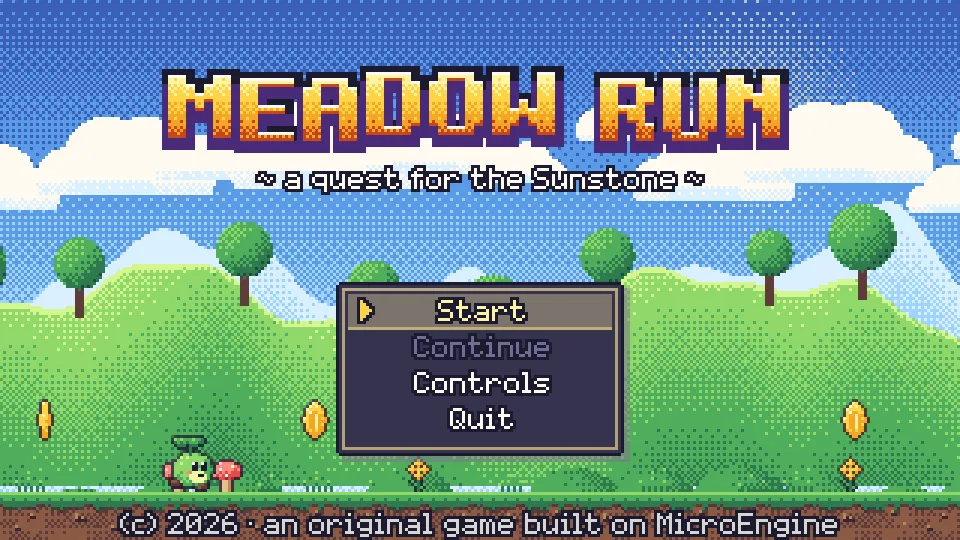
Side-scrolling platformer
Meadow Run
Every pixel and every note is generated in code.
Procedural · No asset files: art, sound and music are code.
Browser · 4 downloads
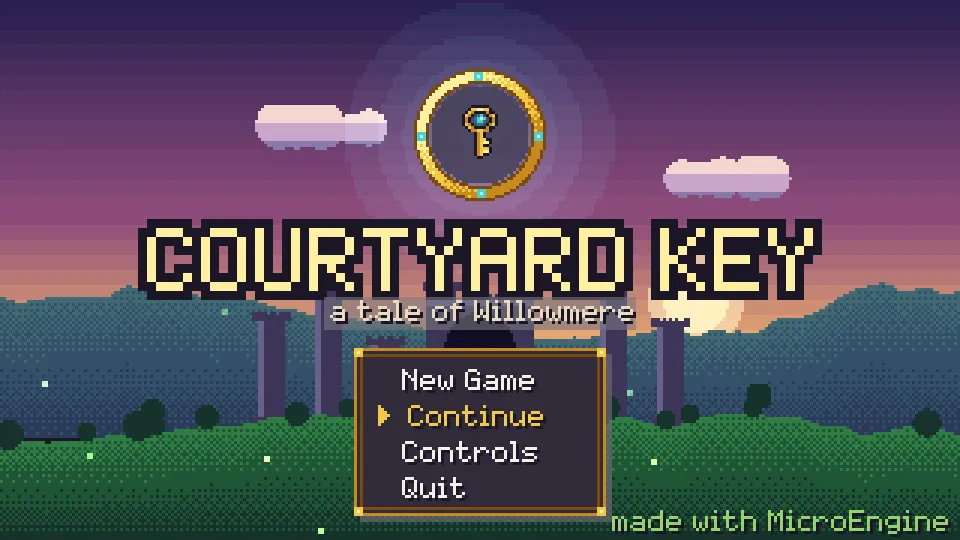
Top-down action adventure
Courtyard Key
Screen-by-screen exploration, a sword and a boomerang.
Hybrid · Procedural world and audio, one CC0 sprite.
Browser · 4 downloads
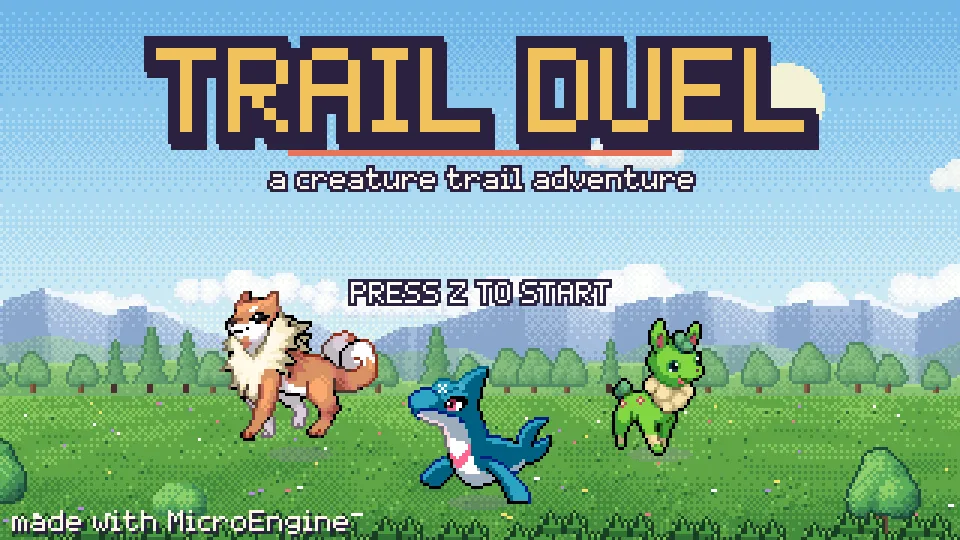
Creature-collecting RPG
Trail Duel
Turn-based battles, captures, evolutions and a rival.
Hybrid · CC0 creature sprites, procedural world and music.
Browser · 4 downloads
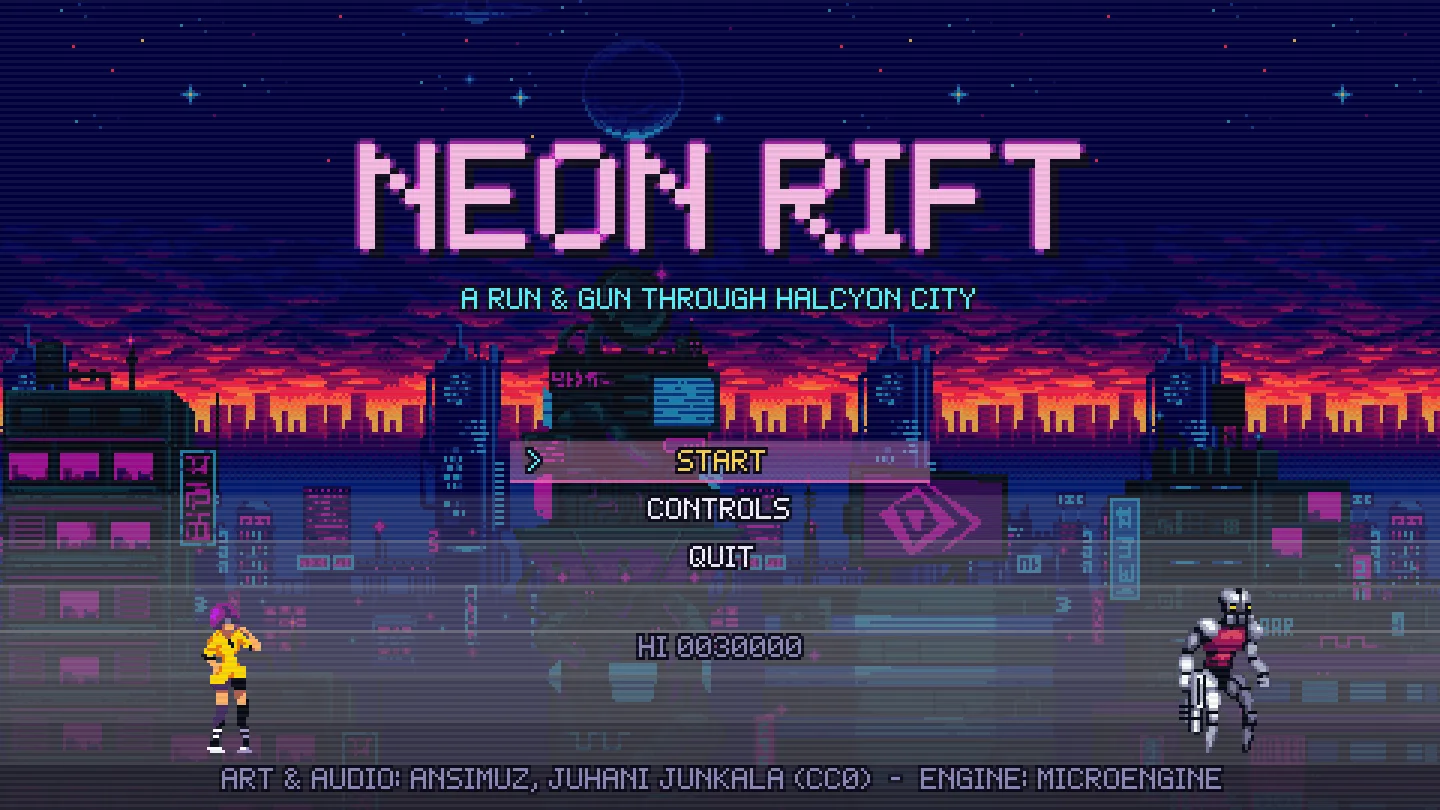
Run & gun
Neon Rift
Neon rooftops, a drowned grotto and a flying dreadnought.
Asset files · CC0 sprite sheets, tilesets, WAV and OGG.
Browser · 4 downloads
Where it runs, and how we know
All six are official targets. They are not equally proven: a capture on a CI runner is not a person playing on a phone, and a simulator is not an iPhone. The badge says which.
| Target | Status | Platform | Get the demos |
|---|---|---|---|
| Windows x64 | Runs on hardware | SDL 3 (default) · raylib · SDL software | Download: 64-bit (x64) |
| Linux x64 | Checked, not yet played | SDL 3 (default) · raylib · SDL software | Download: 64-bit (x86_64), glibc |
| macOS (Apple silicon) | Checked, not yet played | SDL 3 with Metal (default); raylib needs an OpenGL GPU | Download: Apple silicon (arm64) |
| Android | Emulator only | SDL 3 (the Android host) | Download: APK for arm64-v8a and x86_64 |
| iOS | Simulator only | SDL 3 with Metal (the iOS host) | Installing on an iPhone needs Apple signing; a simulator build cannot run on a device |
| Browsers (WebAssembly) | Played in Chrome and Firefox | raylib compiled to WebAssembly | Plays on the demo pages; nothing to install |
SDK Alpha · 0.2.0-alpha
MicroEngine works and is checked on six platforms, but its contracts, subsystems and tools are still evolving. Public APIs may change incompatibly between Alpha versions; there is no 1.0 and no promise of backward compatibility yet.
- No NuGet packages or templates yet. They are prepared for SDK-1; today the engine is built from its repository.
- No visual editor. MicroEngine is code-first; content is code, or files in a content folder.
- No physical phone has run it. Android is checked on an emulator, iOS in the simulator only.
- Linux and macOS are not hand-played yet. Both are checked automatically on hosted runners and in containers.
Start in three commands
Open source under the MIT License: free for personal and commercial games, no royalties. There are no NuGet packages yet; build it from the public repository with the .NET 10 SDK.
- Clone
git clone https://github.com/NastMz/MicroEngine.git - Build and test
dotnet test MicroEngine.slnx -c Release - Run the sample
dotnet run --project samples/HelloEngine -c Release